
How to Set Up a Smart Home Automation System on a Budget in 2026
Published on October 28, 2026 | Category: Smart Home Automation & DIY Tech
Building a connected smart home no longer requires a massive financial investment or professional installation services. With standardized protocols like Matter and Thread fully mature by 2026, affordable smart home devices now talk seamlessly across different brands—allowing you to automate lighting, climate control, and home security without breaking the bank.
Whether you want to lower your monthly electricity bills or simply enjoy voice-activated convenience, this step-by-step guide will show you how to build a powerful, expandable smart home system on a strict budget.
1. Step 1: Choose Your Core Ecosystem
Before purchasing any hardware, decide which digital assistant ecosystem your household will use. Mixing ecosystems without a unifying bridge leads to fragmented app controls. The three major budget-friendly contenders are:
- Amazon Alexa: Offers the widest range of ultra-cheap compatible third-party sensors and smart plugs.
- Google Home: Excellent voice recognition and robust routine automation powered by conversational AI.
- Apple Home via Matter: Best for privacy and iPhone users, now much more affordable thanks to widespread Matter accessory support.
2. Step 2: Pick an Affordable Hub or Smart Speaker
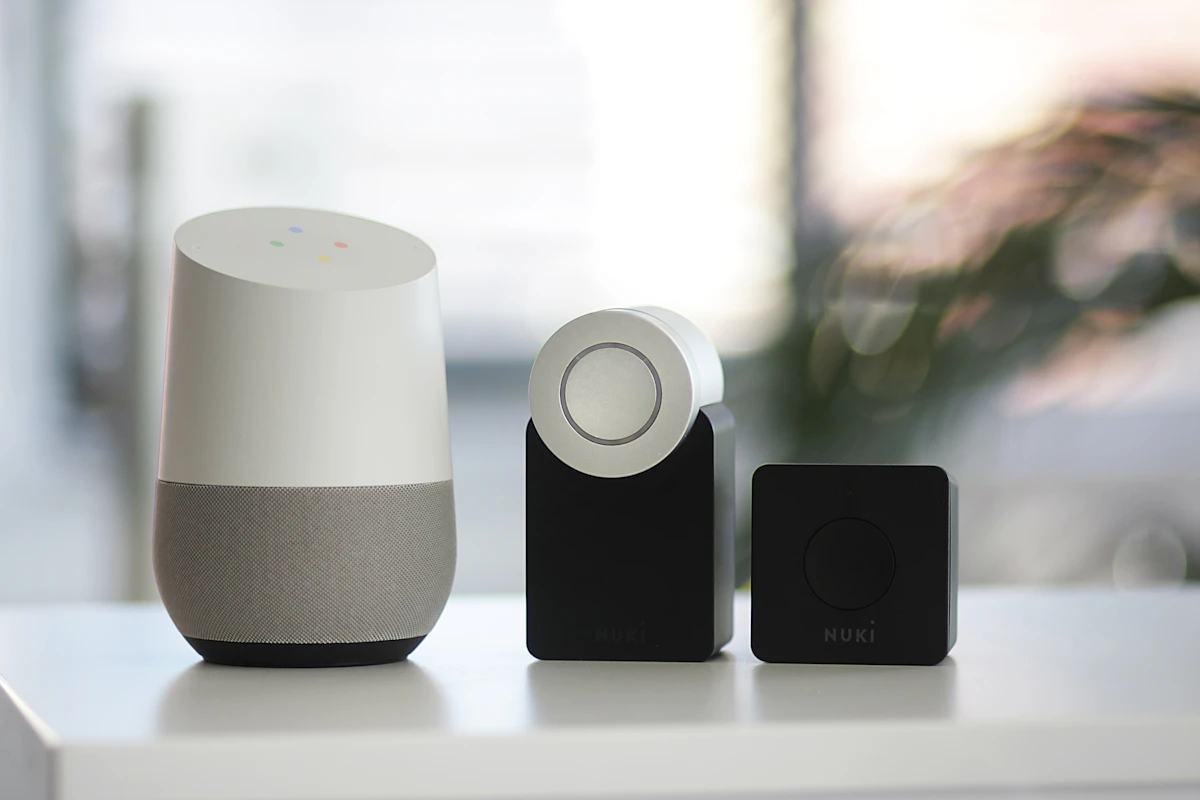
You don't need an expensive dedicated controller to run automations. Entry-level smart speakers double as local hubs:
An Amazon Echo Dot or Google Nest Mini (often priced under $50) serves as a voice control center and connects your Wi-Fi and Bluetooth accessories right out of the box. If you purchase Matter-certified devices, your smartphone or tablet can also act as an operational controller without additional hardware.
3. Step 3: Start with Smart Lighting & Plugs
Smart plugs and bulbs deliver the highest impact-to-cost ratio when starting out. Instead of replacing every light switch in your home:
- Smart Plugs ($10–$15): Plug ordinary lamps, coffee makers, or fans into smart plugs to turn “dumb” appliances into automated electronics.
- Smart Bulbs ($12–$25): Install color-changing or dimmable smart bulbs in frequently used living room or bedroom lamps for instant mood lighting and schedules.
Budget Tip: Look for Wi-Fi or Zigbee bulbs that do not require an expensive proprietary bridge to operate.
4. Step 4: Add Budget-Friendly Security & Sensors
You can secure your home against intruders and energy waste for under $60 total using wireless sensors:
- Contact Sensors ($15): Attach magnetic door/window sensors to trigger hallway lights when opened late at night.
- Motion Detectors ($20): Place small infrared motion detectors in stairwells or kitchens to automate hands-free lighting.
- Indoor Security Cameras ($25–$30): Plug-and-play Wi-Fi security cameras provide live feeds and motion alerts straight to your phone.
5. Step 5: Program Automated Routines & Geofencing
Hardware is only half the battle; automation is where the magic happens. Set up these beginner routines in your app:
- "Good Morning" Routine: At 7:00 AM, gradually brighten bedroom lights, read the daily weather, and turn on the coffee maker smart plug.
- Geofencing "Away" Mode: Automatically turn off all smart lights and lower the thermostat when the last family member leaves the house.
- Nighttime Security: Lock smart deadbolts and turn on exterior security lights at sunset automatically.
6. Sample Budget Smart Home Cost Breakdown
Here is an estimate of what a starter smart home package costs in 2026:
| Device Category | Recommended Items | Estimated Cost |
|---|---|---|
| Voice Hub / Speaker | Amazon Echo Dot (5th Gen) | $49.99 |
| Smart Plugs (x3) | Kasa or TP-Link Smart Plugs | $25.00 |
| Smart Bulbs (x4) | Wiz or Tapo Color Bulbs | $35.00 |
| Door & Motion Sensors | Aqara / Third-party Zigbee Sensors | $30.00 |
| Total Starter Investment | Fully Functional Starter Kit | ~$140.00 |
7. Pro Tips for Maximizing Value & Privacy
- Check for Matter Compatibility: Ensure future device purchases support the Matter protocol to avoid ecosystem lock-in.
- Secure Your Wi-Fi: Create a separate guest or IoT VLAN network on your router to keep smart appliances isolated from your personal laptop and banking data.
- Watch for Sales: Major holiday shopping events like Prime Day or Black Friday routinely discount starter bundles by 40% or more.
8. Frequently Asked Questions
Do I need a paid subscription to run smart home automations?
No. Basic scheduling, routines, and app controls are free across Amazon Alexa, Google Home, and Apple Home. Paid subscriptions are typically optional cloud storage upgrades for security camera footage.
Can I install smart switches if I rent my home?
Hardwired wall switches require electrical work which isn't ideal for renters. Instead, stick to smart plugs, smart bulbs, and wireless stick-on buttons or remote controllers that require zero wiring modifications.